
Photos
Photos are deleted when uninstalling Vegapp or deleting projects
Photos can be captured for plots, species, and individuals. Fulfilling the requirements for data safety in Android apps, Vegapp stores photos in its own storage. This means that Vegapp photos are not searchable from the device's standard gallery app unless they are explicitly released. This can be done using the gallery icon in the app's photo browser. Photo file names include the plot name (plot photos), ID (individuals) and taxon (species and individuals), followed by the date and time. This information is also stored in the EXIF metadata of the picture.
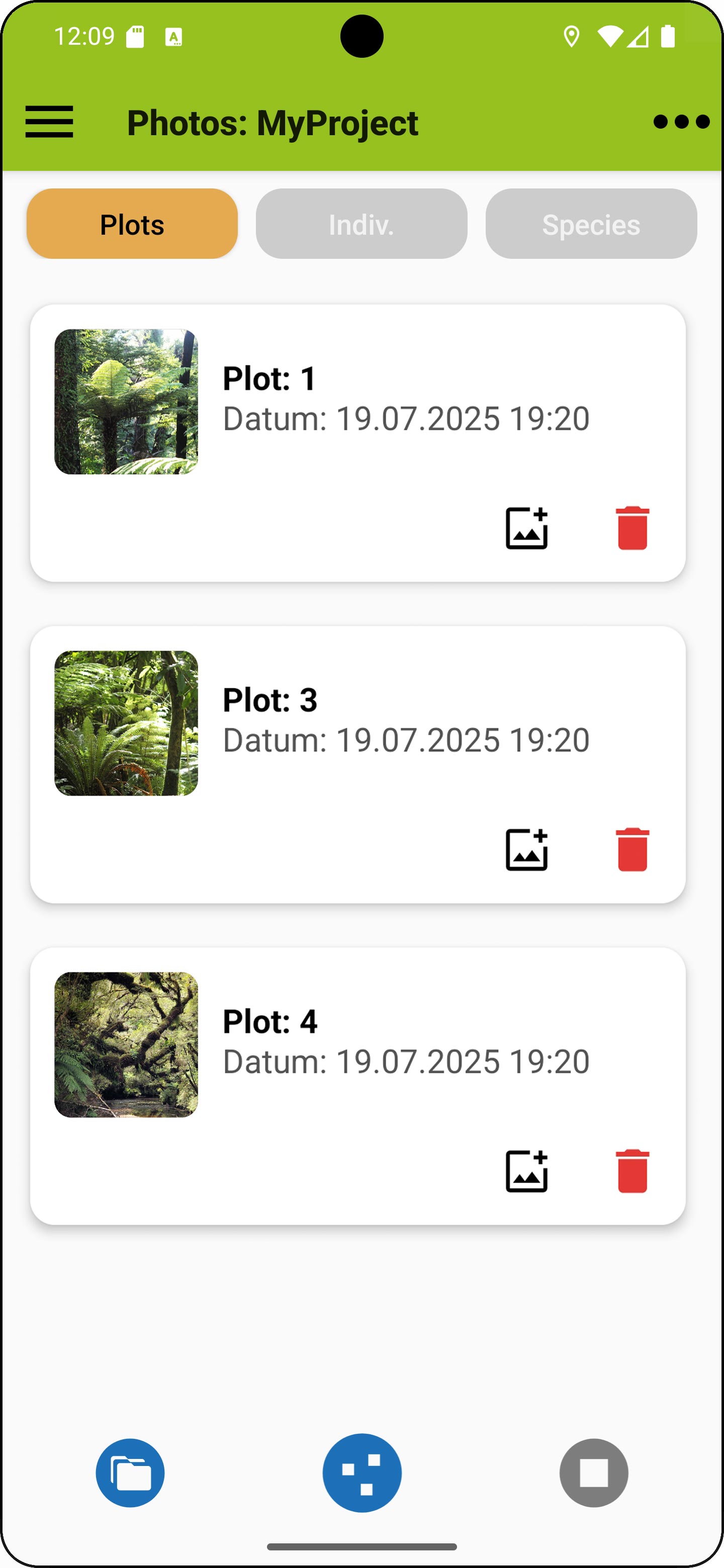
Photo browser
The browser can be accessed from the main menu on the right and using the photo buttons in the plot attributes view, in the species view or individuals view. When accessed from these views, the browser opens in the relevant section, provided there are images. Short-press on a photo opens the photo with the device's default gallery app, which offers additional functions. Long-pressing a photo allows setting it as a plot's title photo.
Sharing and backup:
There is a share option in the menu that allows to pick a project for sharing. After confirmation, a ZIP archive is created and available sharing options are offered. Among others there is usually a cloud storage option that can be used for backups. Be careful as the amount of data can be high. Photos are not included when exporting a project by other means; you need to export photos separately.
HOME UP
Privacy Policy, Contact, Impressum